

Finance
evoKura
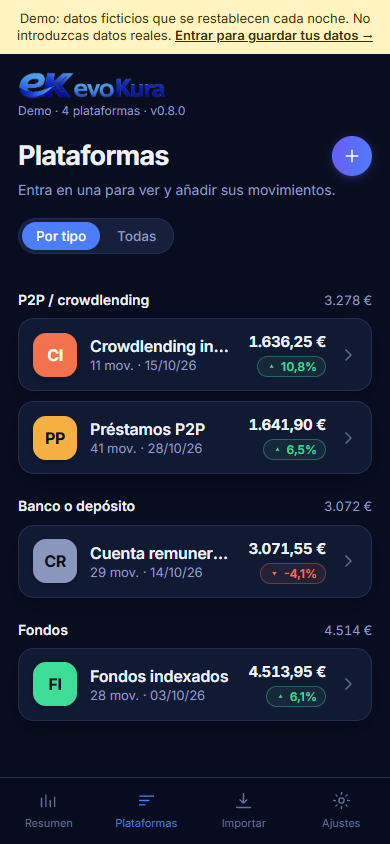
How much money you’ve put into your investment platforms, how much you’ve taken out and how much they’ve really earned you.

What it does
Your money in and what it earns
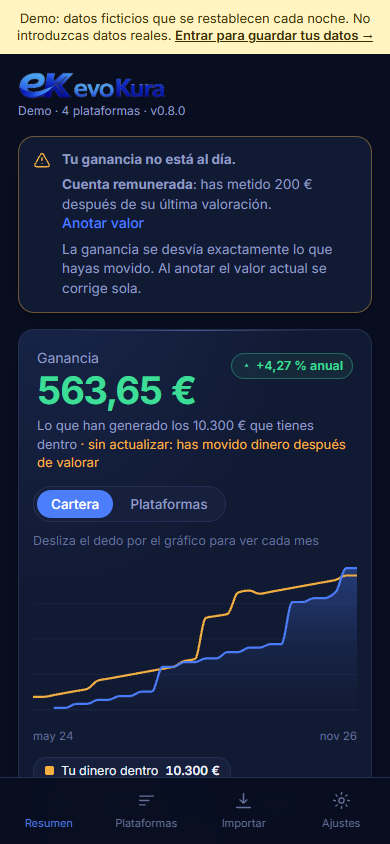
What you’ve put in minus what you’ve taken out, what it’s worth today and the real gain. Without mixing it up with the totals, which grow every time you move money.
True annual return
Calculates the IRR with the real dates of each deposit and withdrawal, using the same method as Excel’s XIRR function.
Import your statements
Automatically recognises the CSV or Excel from Mintos, the Excel from MyInvestor and the CSV from Trade Republic. You can upload the same statement again without duplicating anything.
Interest and fees, by month
Hundreds of cents of interest, fees and taxes are grouped by month. You see what you’ve earned and what’s been taken off.
Warns you when a figure is out of date
If you put money in or take it out after recording the value, or haven’t recorded it for over 45 days, it tells you and takes you to fix it.
Portfolio charts
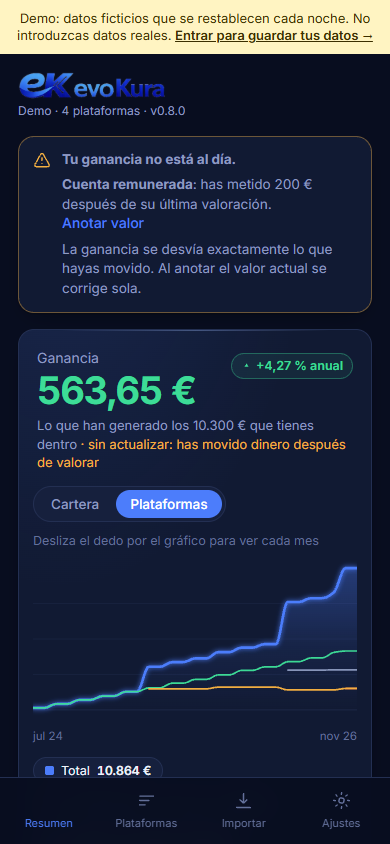
How your money in, the value and the gain evolve month by month, one line per platform and the split in pie charts.
Regulated or not
Mark each platform as regulated or not and it tells you how much of your money is in the unregulated ones.
Notes and corrections
Tap any transaction to correct it or add a note, imported ones included.
PIN and backup
A 6-digit PIN to open the app, and export of all your data in a file you can import again.
Screenshots
Specs
- Type
- Installable web app for your phone (WordPress plugin)
- Version
- 0.8.0
- Requirements
- WordPress 6.4 or later, PHP 7.4 or later with the ZIP extension (to read Excel). evoCore 0.3.1 for accounts, demo and installing on your phone.
- Price
- Free in the demo · full version: ask me
- Languages
- Spanish
FAQ
Does it connect to my accounts or ask for passwords?
No. evoKura doesn’t connect to any bank or platform and doesn’t ask for passwords. You download the statement from the platform and upload it, or enter the transactions by hand.
Which platforms does it recognise?
Mintos (CSV or Excel), MyInvestor (Excel) and Trade Republic (CSV, or the text copied from the PDF) are recognised automatically. From any other one you can upload a CSV and say which column is which, or enter the transactions by hand.
Where is my data stored and who can see it?
In the website’s database, linked to your account: only you can see it. You can protect it with a PIN, export it whenever you like and, if you delete your account, it’s deleted with it. In the demo the data is made up; if you haven’t signed in with an account, nothing is saved.
More in Nando demo
You might also like



Do you find it useful?
All the apps are free and I build them in my spare time. If it saves you work, a coffee helps them keep growing.
Want it for yourself or your business?
The demo is free. If you're interested in the full version, on your website or with your own account, let's talk.