

Finance · Savings
evoSaifu
See where your money goes each month and how much you really manage to save, straight from your bank statements.

What it does
Import your statements
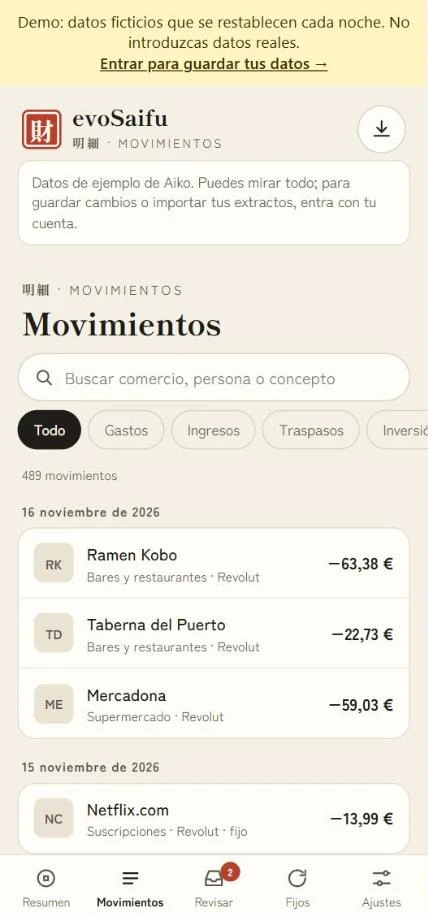
Upload the Openbank Excel, the Revolut CSV or your PayPal activity. Upload the same month again and nothing gets duplicated.
Your savings rate
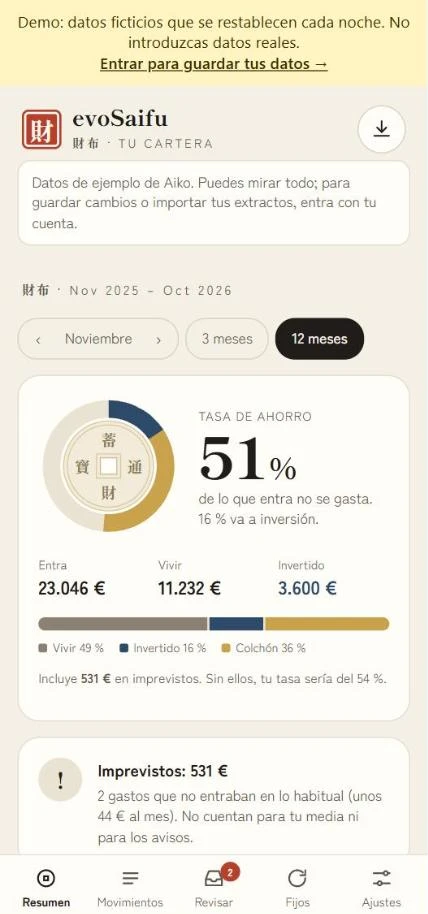
A ring shows what comes in, what goes on living, what you invest and what is left as a cushion.
What you pay without thinking
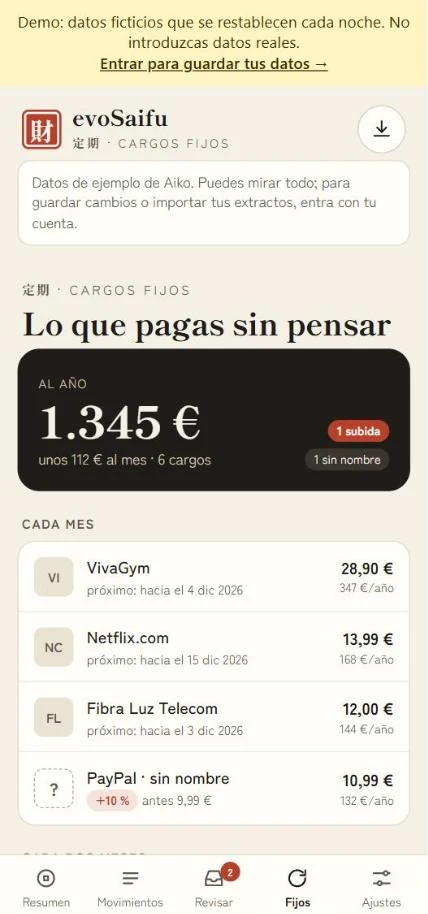
Gathers your fixed charges and subscriptions with their yearly cost and warns you when one goes up.
Learns from your answers
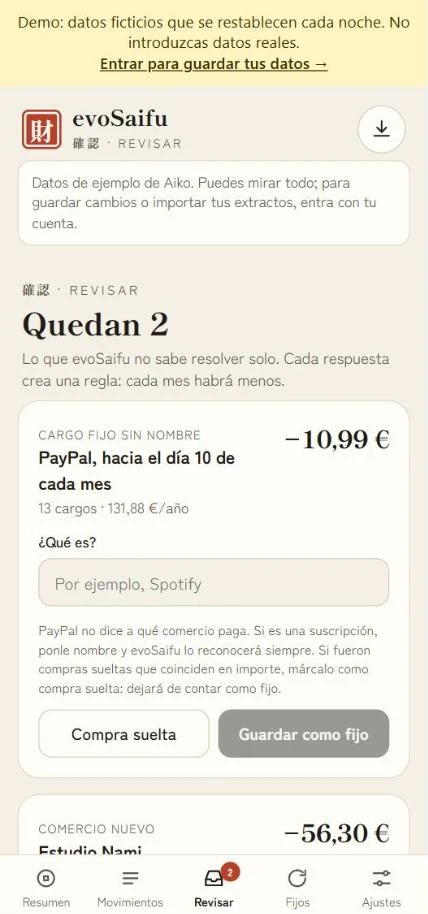
Whatever it can’t classify, it asks you once. Each answer becomes a rule, so there is less to review every month.
Unexpected costs apart
A car repair or the dentist is marked as unexpected: you see it, but it doesn’t skew your average or your alerts.
Transfers that don’t count
Moving money between your accounts isn’t spending, and what you send to invest counts as savings.
Screenshots
Specs
- Type
- Installable web app (WordPress + evoCore)
- Version
- 0.4.0 · in testing
- Banks
- Openbank (Excel), Revolut (CSV) and PayPal (CSV)
- Price
- Free
- Languages
- Spanish
FAQ
Does it connect to my bank?
No. You download the statement from your bank’s website and upload it. evoSaifu never asks for or stores bank passwords.
Who can see my data?
Only you, with your account. In the demo everything is fictional and nothing is saved.
What if my bank isn’t supported?
For now it reads Openbank, Revolut and PayPal. If you use another bank, write to me and I’ll look at its format.
More in Nando demo
You might also like



Do you find it useful?
All the apps are free and I build them in my spare time. If it saves you work, a coffee helps them keep growing.
Want it for yourself or your business?
The demo is free. If you're interested in the full version, on your website or with your own account, let's talk.